Overage Cap
Tini Subscriptions can set up an Overage Cap to prevent overspending on transcription hours. With Tini, when you use up your allotted transcription time, you will be charged per minute for additional transcriptions. The overage cap will stop transcriptions once the spend has been reached.
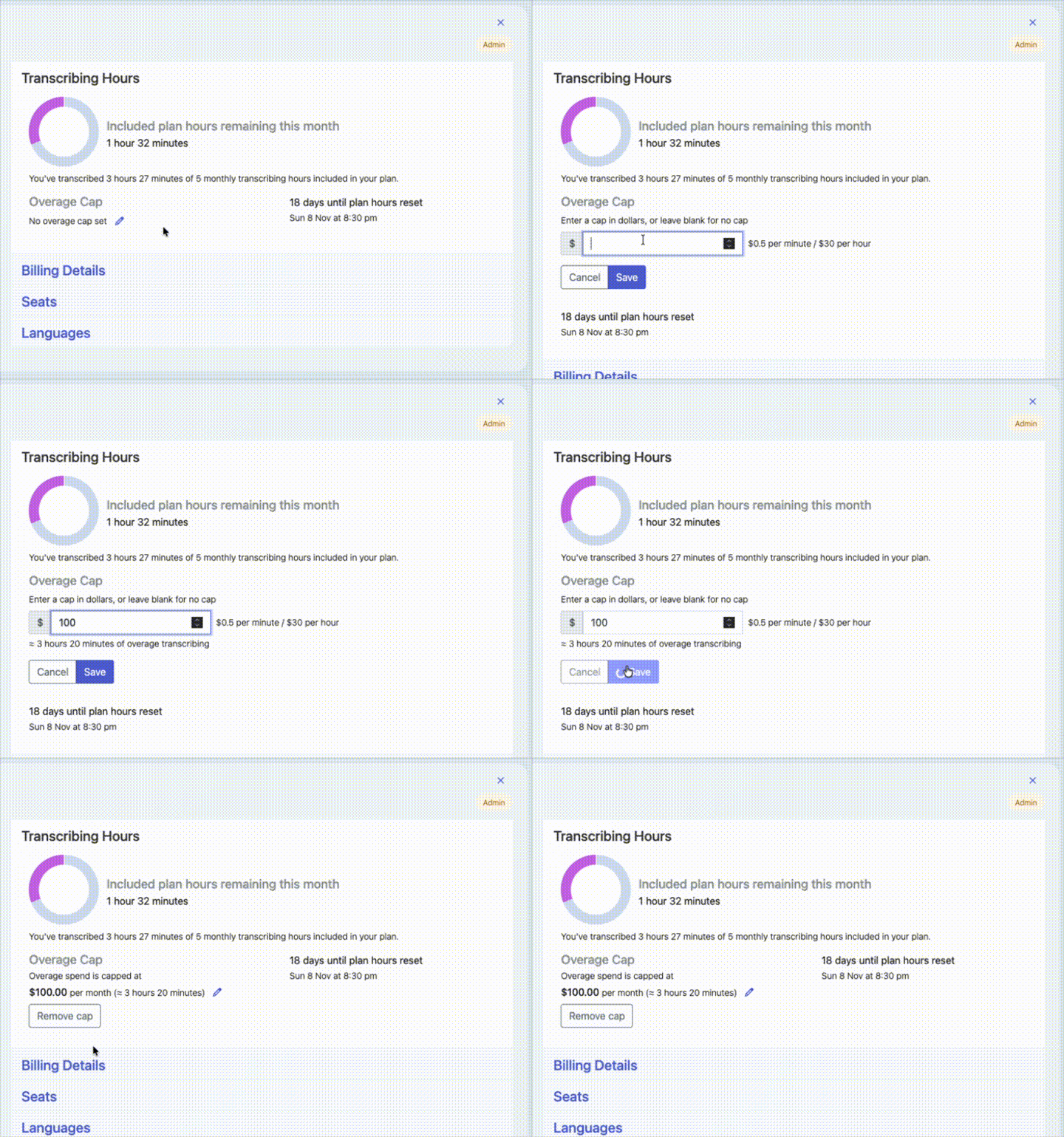
- Go to your accounts page
- In the Workspace section under Transcribing Hours you will see an "Overage Cap." Click the edit icon to create or change an overage cap.
- Enter the cap amount in NZ dollars. Based on your rate, you will be given the approximate hours the cap equates to.
- Save your changes.